Migrating from OpenWrt to UniFi
TL;DR
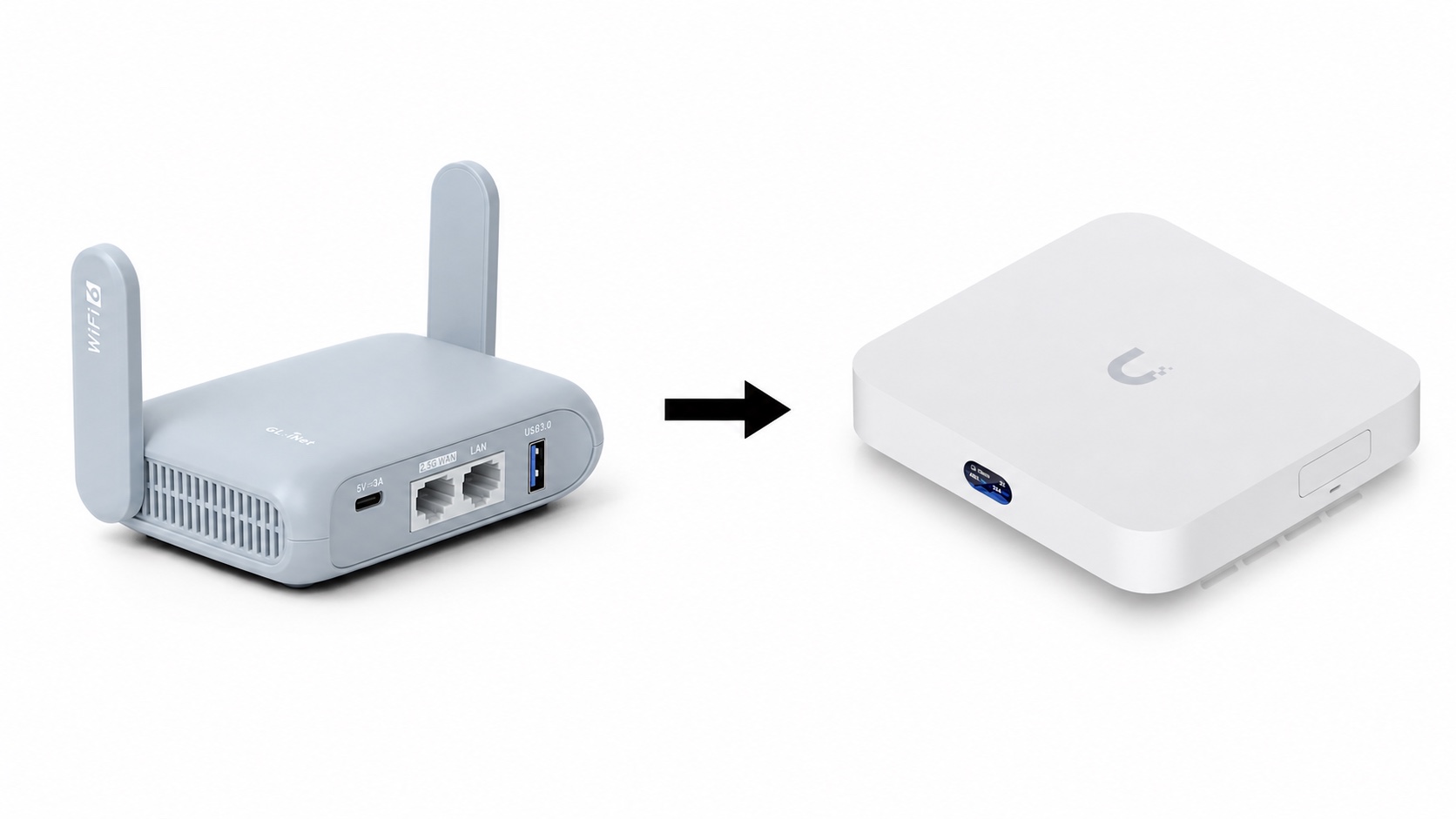
In this note I want to briefly explain why I decided to move away from OpenWrt, which alternatives I considered, and what I gained and lost after switching to UniFi.
The migration happened in early 2025, so some of the details may no longer be current. While preparing this post in June 2026, I rechecked the parts that looked time-sensitive and added notes where the situation has changed.
Background
For a long time my main home router was a GL.iNet Beryl AX running clean OpenWrt. For such a small device, it has very solid hardware.
Through LuCI and terminal access I configured several subnets, routing through multiple VPN nodes, and a few simple firewall rules. OpenWrt handled all of that well. The problem was me: I do this kind of networking work rarely enough that the knowledge disappears from my brain between configuration changes. Every small adjustment eventually started to feel more expensive than it should.
At some point, as more IP KVM devices became available, I started thinking about building a small farm of macOS devices for testing my products and analyzing malware. I will write separately about the problems that setup was meant to solve. For this post, the important part is that this idea changed what I needed from my home network.
I needed more subnets, a more capable firewall, and preferably a UI that would not make routine changes feel like a weekend project. I also needed more Ethernet ports for the devices. I started with an unmanaged switch in addition to Beryl, then began looking for a more complete replacement for the router side.
Options I considered
GL.iNet Flint 2
I like the price-to-quality ratio of GL.iNet devices, so the Flint 2 was an obvious candidate. With OpenWrt, you can build almost anything you want. The downside is that you also have to keep owning the configuration afterward.
For my use case, I expected that the initial setup and later maintenance would take more time than I wanted to spend on home-network plumbing.
OPNsense and pfSense
I ordered a network card for my home server to test OPNsense and pfSense. Unfortunately, or maybe fortunately, the motherboard did not want to work with that card. My guess is that the board could not provide enough power, but I did not investigate too deeply. I returned the card and decided to look at more integrated product solutions.
That may sound like I gave up quickly. In practice, I decided I was ready to spend money to save time.
One general downside of OpenWrt, OPNsense, pfSense and other similar solutions is that it does not give you a tightly integrated managed-switch ecosystem. If I later wanted to split wired devices across multiple subnets, I would either need to buy managed switches from another ecosystem or keep stacking less convenient pieces together.
Ubiquiti UniFi
UniFi was the main replacement candidate. To me, Ubiquiti feels a bit like Apple in the networking world: a strong ecosystem, polished UI, and a price that is not exactly the cheapest option on the shelf.
I had also heard a lot of good feedback from people using it at home, so I decided to try it.
MikroTik and other vendors
I did not seriously consider MikroTik or other vendors.
I’m not very familiar with the offerings and capabilities of brands such as D-Link, TP-Link, etc. I didn’t see the point in dealing with them, because I already had a good candidate. Cisco does not really have an attractive product line for this particular segment.
MikroTik, on the other hand, is much more relevant, but I have a bias against their equipment based on past experiences. I have seen too many painful RouterOS update stories, and they often take a long time to ship devices with newer standards. For example, MikroTik only recently started shipping Wi-Fi 7 hardware. However, MikroTik is usually much cheaper than UniFi, so if you are evaluating this for yourself, it is still worth keeping them on the list.
Choosing a UniFi router
I looked at three options:
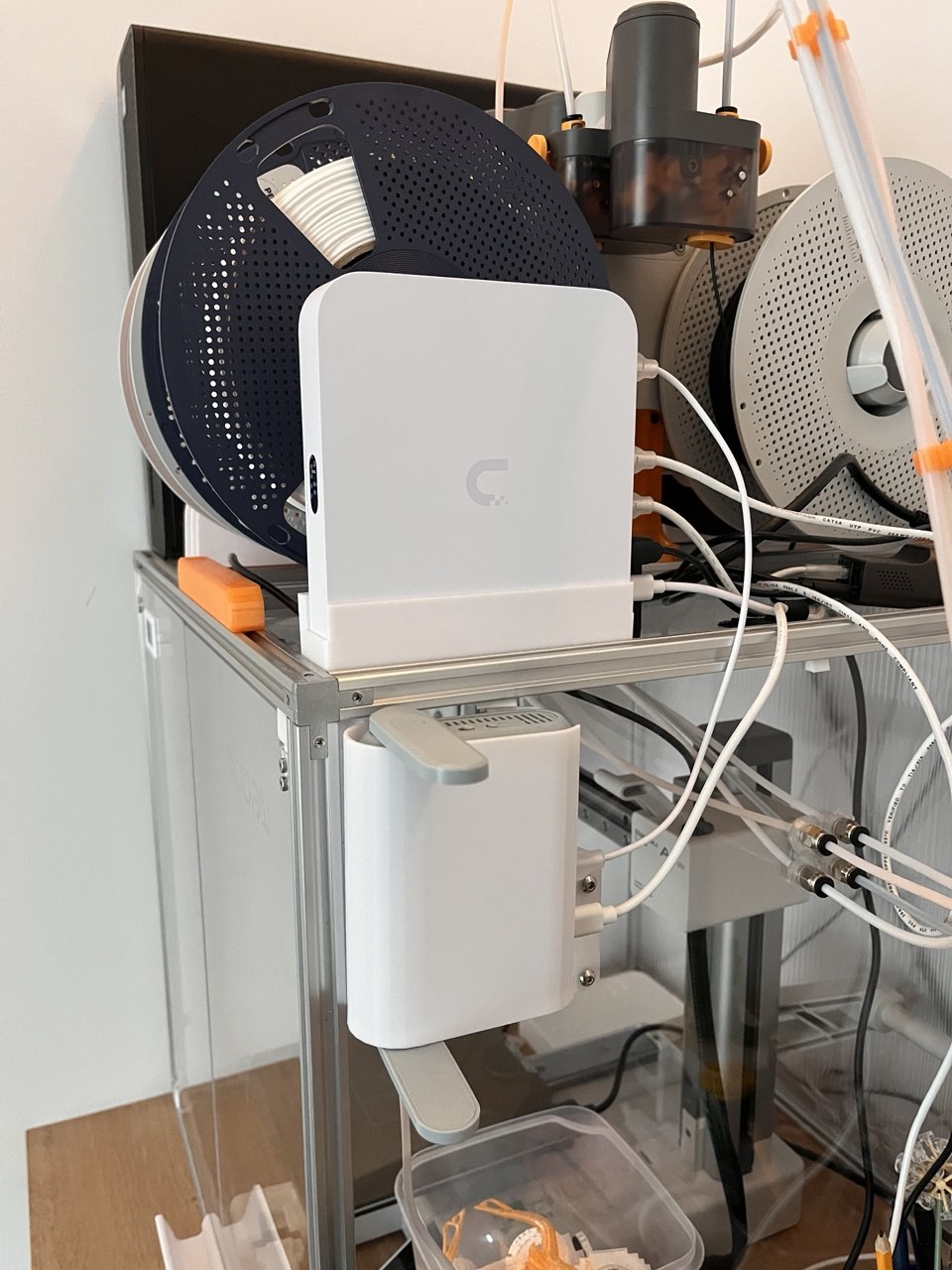
I chose the Cloud Gateway Max because it had enough performance and ports for my tests, and because it was powered by USB-C. I wanted to reduce the number of power bricks around the networking shelf.
For Wi-Fi, I initially kept using the Beryl AX.
Setup and first impressions
Both the device and the UI look great. This is one of the places where the Apple comparison feels fair: the experience is polished, cohesive, and far less complicated than the combination of the LuCI interface and working with the terminal.
The first surprise was the support for WireGuard. When I migrated, UniFi did not support the IPv6 behavior I needed for my tests. Since I specifically needed IPv6 at that time, I could not move the full configuration to UniFi. For quite a while, the IPv6-related part of the setup stayed on the Beryl. While writing this article, I found that in May 2026, Ubiquiti announced UniFi Network 10.4 with WireGuard VPN support over IPv6. That does not change my migration experience, but it does make this particular limitation less relevant for someone starting today.
Another difference from OpenWrt: running an OpenConnect VPN client on OpenWrt is straightforward. I saw instructions for doing something similar on UniFi, but I did not even try to add it. UniFi is much more pleasant when you stay inside the supported product surface. Fortunately, I rarely need to do this. For those occasions, I decided to set it up on my Proxmox server and route traffic through it.
The second unpleasant surprise was boot time. I understand that UniFi OS is a much heavier system than my old OpenWrt setup, but it starts several times slower. After a power outage, I also had no Wi-Fi because the Beryl booted faster, failed to get an IP address, and then just sat there. I know this could be fixed, but I was already planning to buy a UniFi access point, so in those cases I simply rebooted the Beryl manually.
When I later bought the access point, I realized I had missed an important hardware detail: most UniFi APs require power via PoE. The Cloud Gateway Max is USB-C powered, but it does not provide PoE output. That is when I regretted not choosing the Cloud Gateway Fiber: it would have been a cleaner fit because it has a PoE budget. Instead, I had to buy a PoE injector. I wanted fewer power adapters and fewer cables. In this case, I got the opposite.
Traffic monitoring
Traffic monitoring was one of the UniFi features I was most interested in.
My ideal workflow was simple: record the network flows for a device, understand what it actually talks to, and then build firewall rules based on that. For suspicious or semi-trusted devices, this should also help catch unexpected outbound traffic.
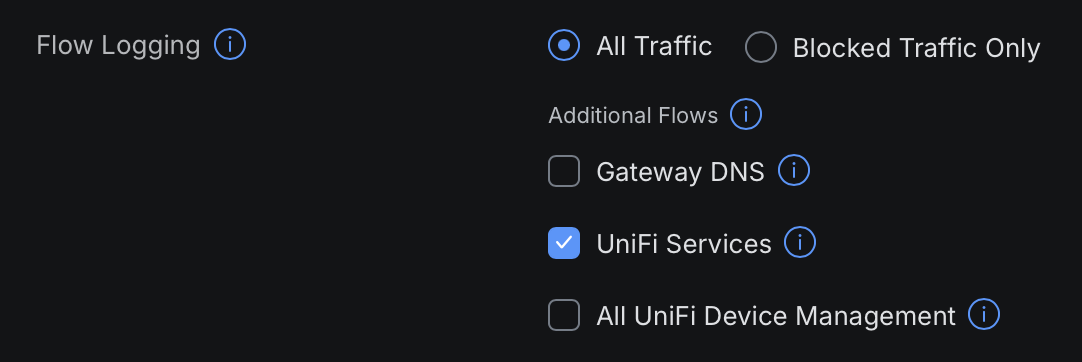
UniFi has built-in flow visibility (Flow Logging), but in my testing it behaved in a way I could not fully understand. I could not choose exactly which devices to log, and it did not always show all the flows from the devices I cared about. Maybe that was a bug at that time, or maybe I misunderstood the feature. Either way, it was not enough for the analysis I wanted to do.
To get more control, I enabled NetFlow. It is more flexible, but it requires an external collector.
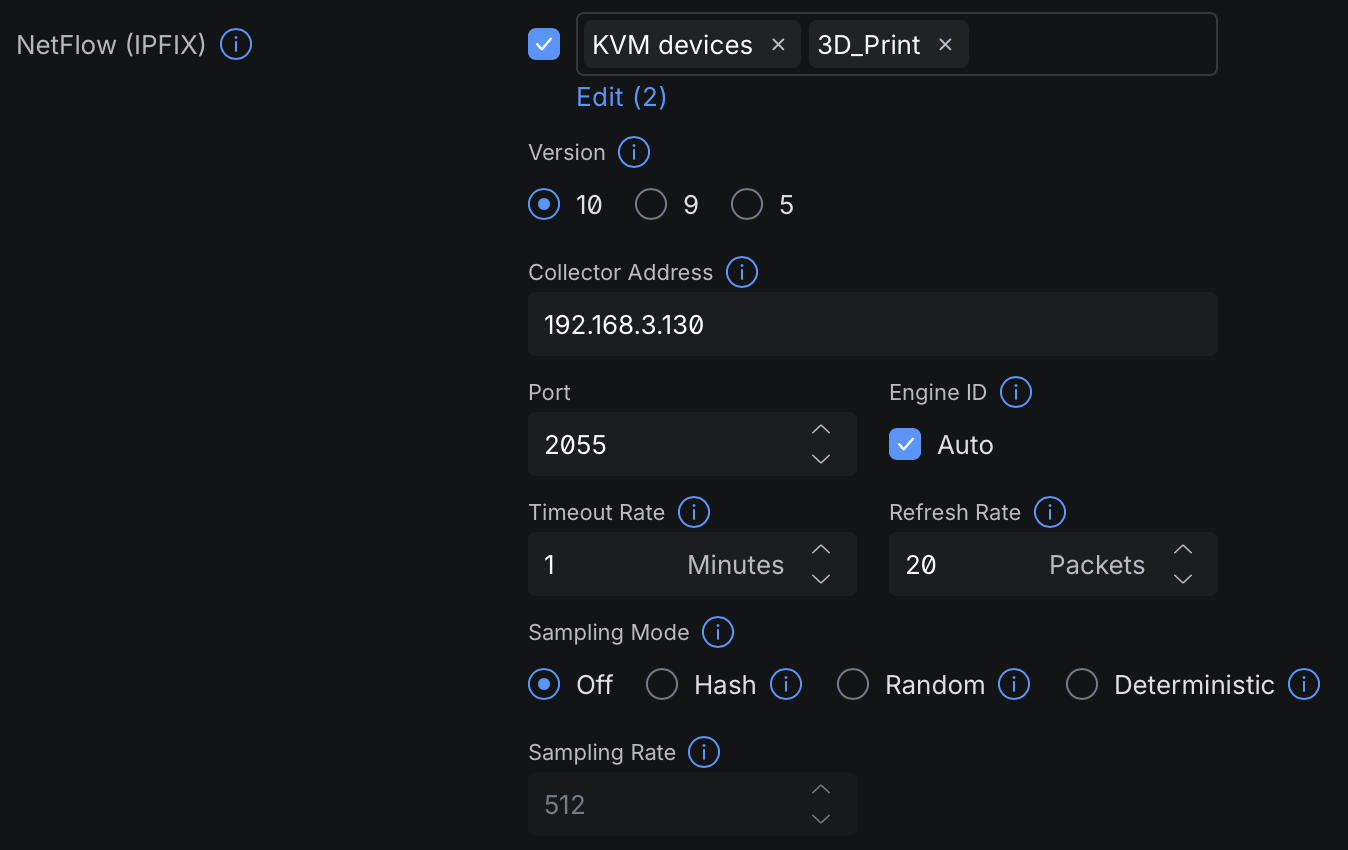
Unfortunately, I did not find good official UniFi instructions for this workflow. Random containers from the internet looked sketchy, and most of them did not work for me. AI agents were also not nearly as useful for this kind of setup at that time.
I spent some time trying to make Elasticsearch, Logstash, and Kibana work together for this. After a few hours it still was not running properly, so I took the simpler route: nfcapd for collection and nfdump for filtering.
One year later
After roughly a year, my opinion is still close to the first impression: Ubiquiti is the Apple of networking equipment.
What exists inside the product usually works well. If something is missing, adding it yourself can be difficult or at least unpleasant. I decided that if I ever need a more specific VPN setup, or some other custom networking service, I will run it on Proxmox and route traffic through it instead of trying to force UniFi to become OpenWrt.
Right now, I am happy with the setup. I can manage the network remotely, the UI is pleasant enough, and I rarely need to change network configuration anyway. Some settings are harder to find than I would like, but for my usage that is a small annoyance rather than a real problem.
Teleport turned out to be unexpectedly useful. It gives me VPN access into the internal network, so I can manage Home Assistant remotely without exposing it directly to the internet.
Pros and cons
The main pros for me:
- A polished UI that makes many network tasks approachable.
- Good integration between UniFi devices.
- A clear upgrade path for expanding the network.
- Remote management that feels built into the product rather than bolted on.
- Teleport is genuinely convenient for private access to the home network.
The main cons:
- It is expensive.
- Some important features can take a long time to arrive. WireGuard over IPv6 is the example that affected me.
- Unsupported or unusual configurations are hard to add compared with OpenWrt.
- Boot time is noticeably longer than my old setup.
- The web UI can be surprisingly heavy. Once I left it open in the background and my laptop battery started draining much faster.
Conclusion
Overall, I think UniFi is a very good product if you want to configure and manage a capable home or small lab network through a UI.
I do not think it replaces OpenWrt or other custom setups for flexibility. OpenWrt is still a good choice if you want full control and do not mind owning the complexity. UniFi is better if you want most common network features to feel like product features instead of custom infrastructure.
For me, that trade-off was worth it. I bought back time and lowered the mental cost of touching my network. That was the real upgrade.